NinjaTrader 8
Ready-made charts, one click away
Holdout Pro installs complete chart layouts for every timeframe, plus presets for each indicator. Load one and start trading, or use them as a starting point for your own.
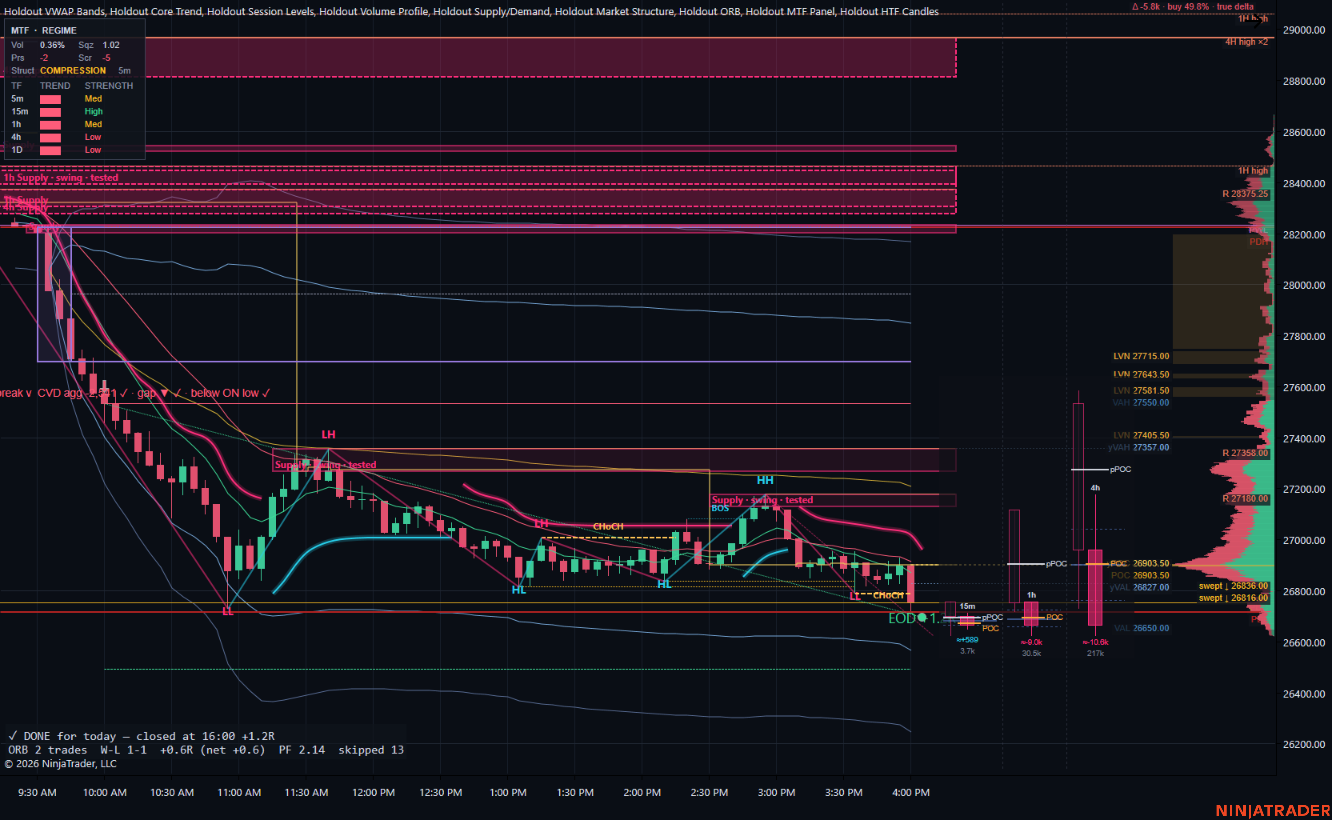
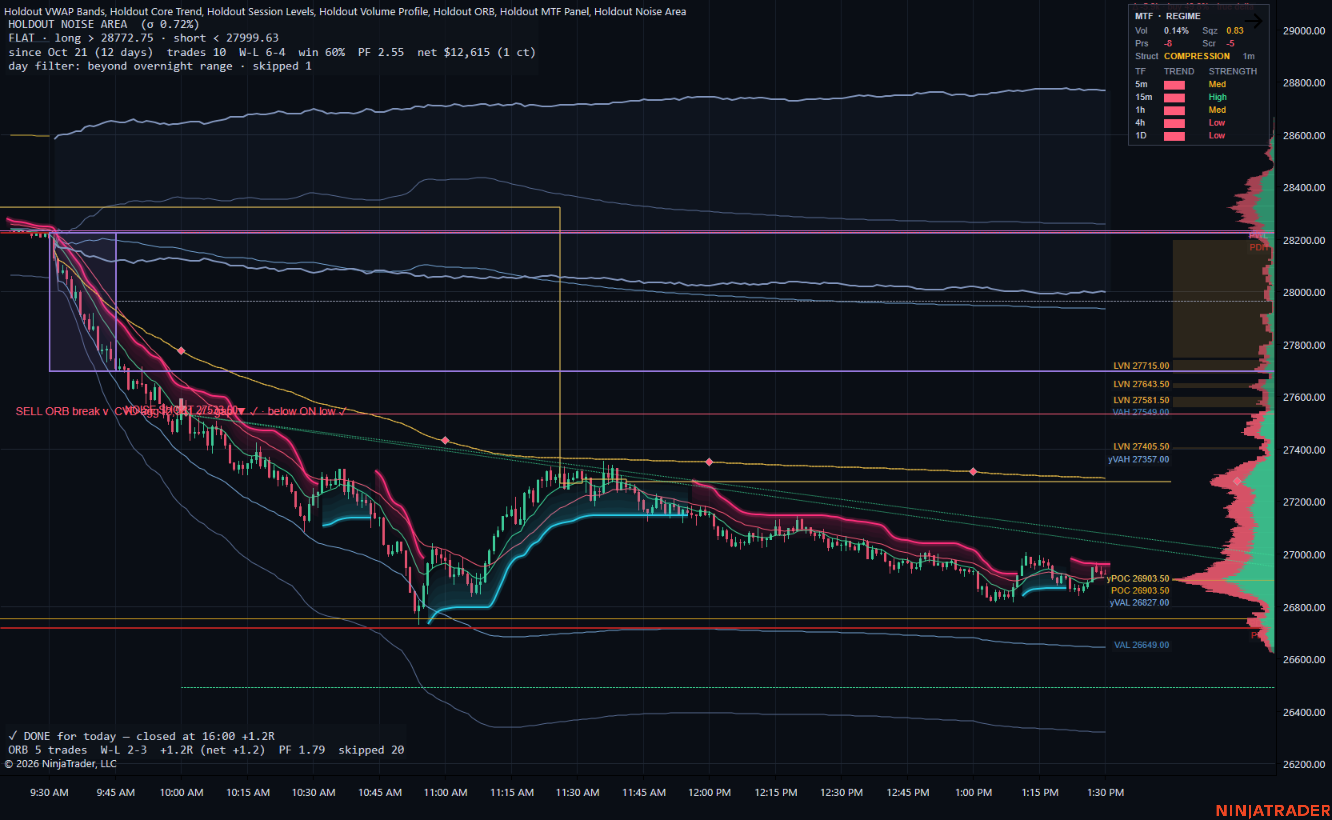
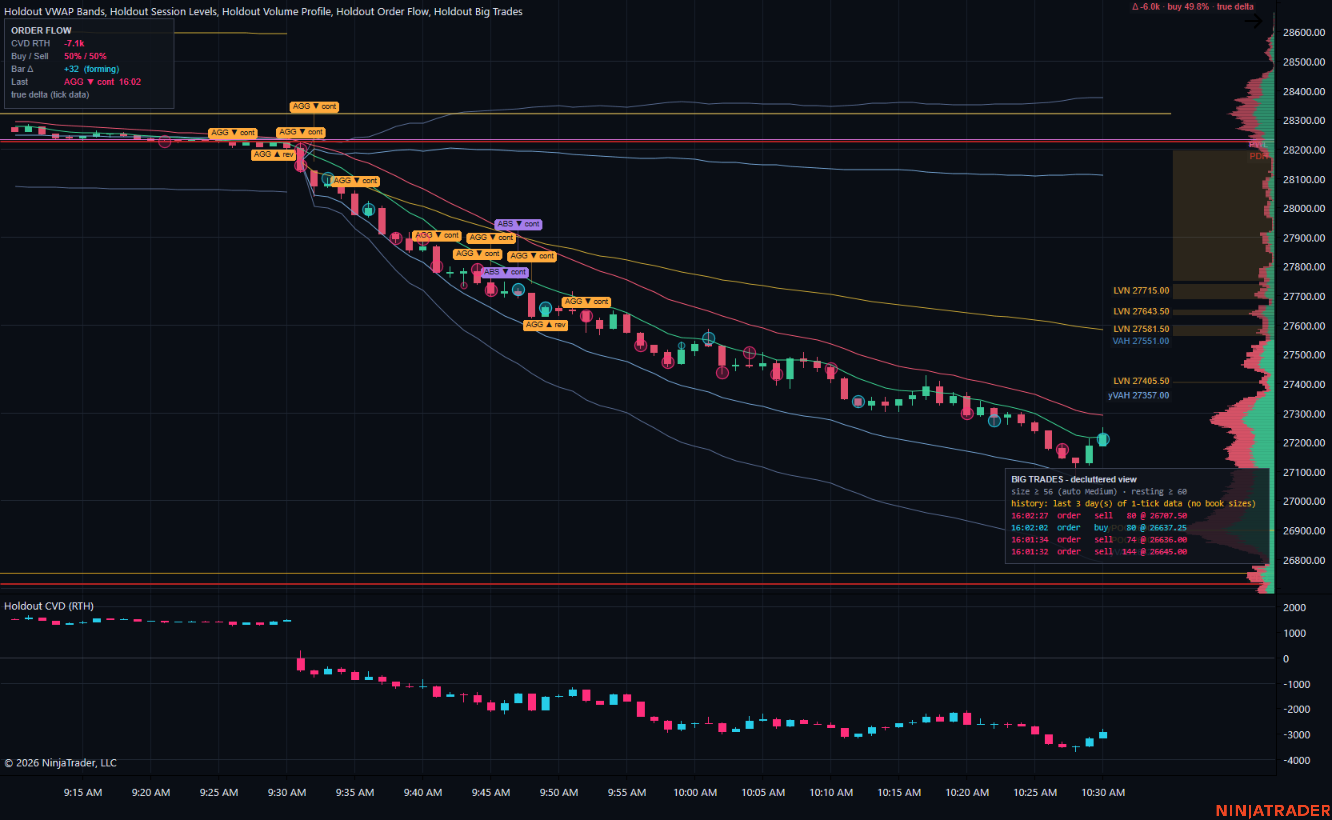
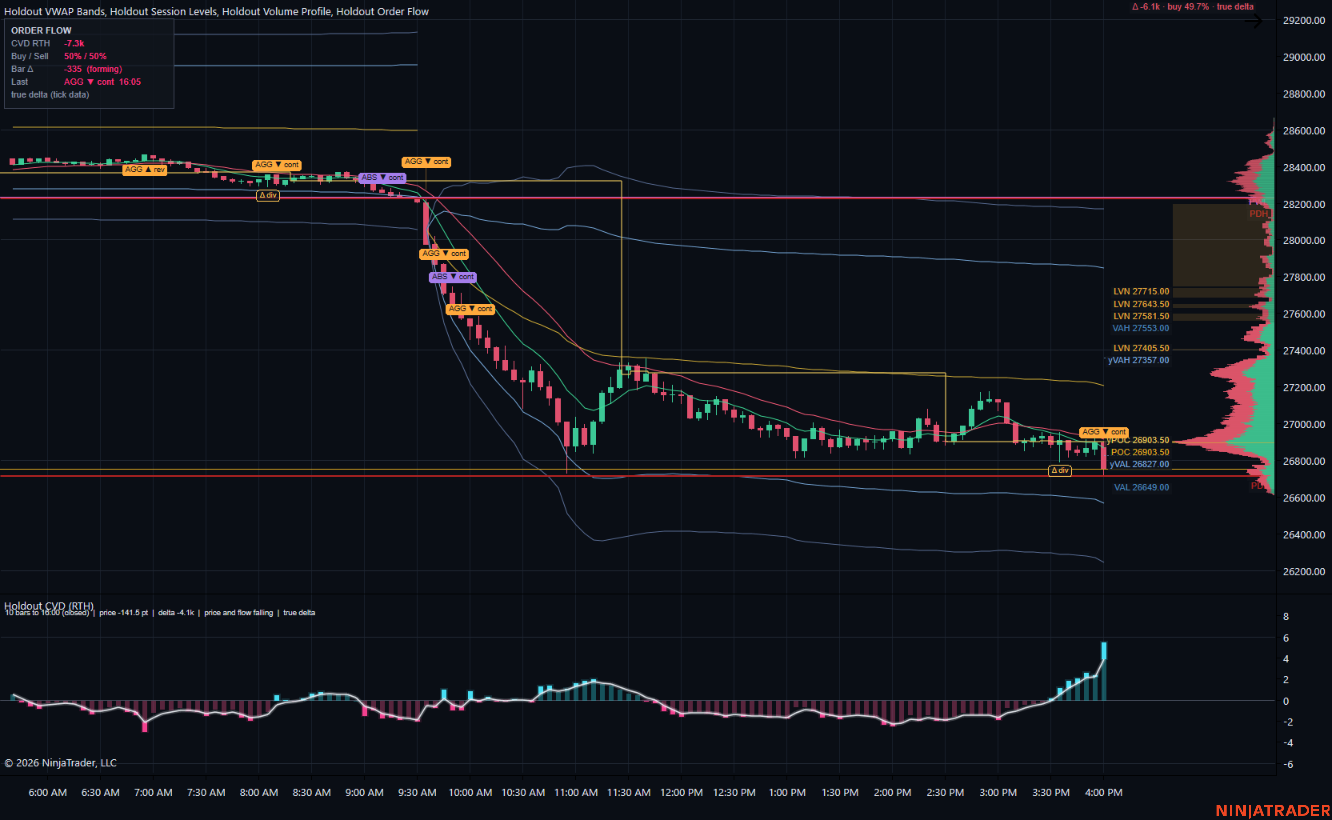
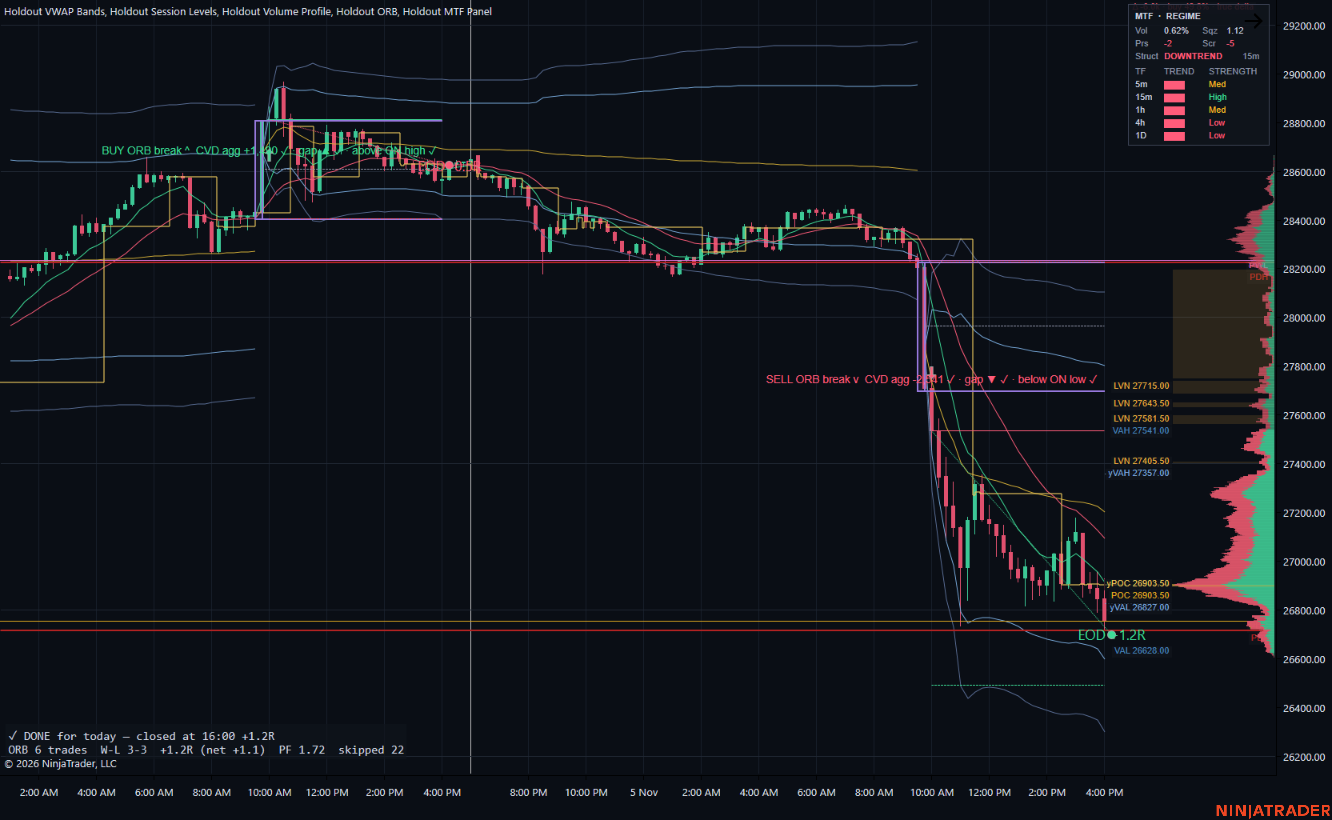
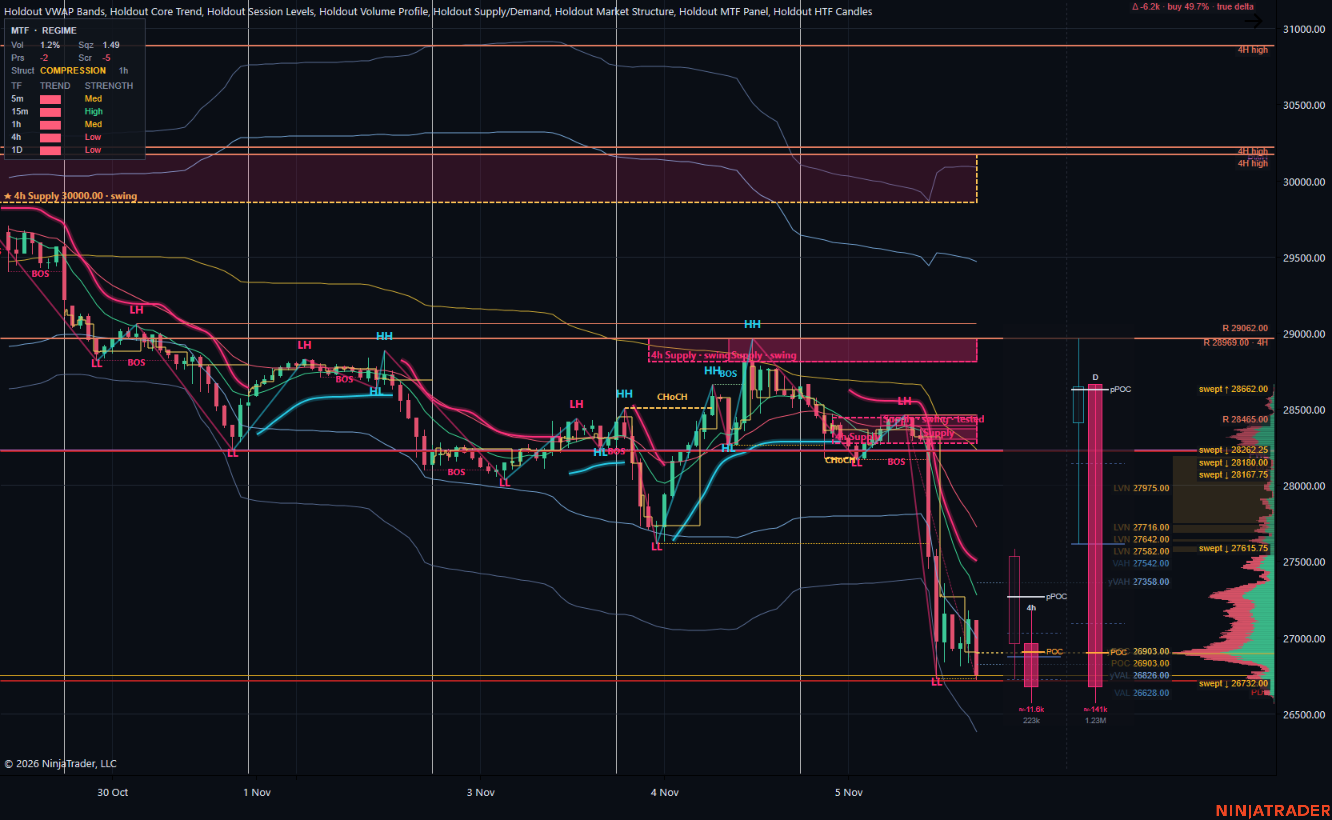
Holdout 5m
The everyday intraday layout: session levels, VWAP and EMA cloud, volume profile, supply and demand, market structure, Core Trend, the ORB status, HTF candles and the MTF panel, all in one chart.
See every indicatorEvery screenshot is a template loaded as shipped on an NQ chart, with nothing added or moved.
Installed for you
The add-on writes the templates into NinjaTrader the first time it loads. Right-click any chart → Templates → Load and they're in the list.
A starting point, not a cage
Add or remove indicators, change colors, move panels, then right-click → Templates → Save as to keep your own version. Updates never overwrite a template you've changed.
Presets for each indicator
Each indicator also ships with a few saved setups, from minimal to detailed. Open its settings, choose Template → Load, and switch in seconds.
Chart templates
8 layouts included
Each one is tuned for its timeframe: how many days load, which higher-timeframe candles sit at the right edge, and how much room the profile gets.
Holdout 1m · 2m · 3m · 5m
Full intraday layouts. Levels, VWAP, profile, zones, structure, Core Trend, HTF candles and the MTF panel, tuned per timeframe (the ORB on 1m, 3m and 5m).
Holdout 10m · 15m · 30m
Slower intraday layouts with higher-timeframe candle lanes chosen to stay coarser than the chart.
Holdout 1h · 4h · Daily
Swing layouts with more history: structure, zones, Core Trend and the MTF panel, plus a rolling VWAP and levels on 1h and 4h.
Holdout 1m + Signals
Opening range breakout and noise-area momentum, with VWAP, levels, the profile, Core Trend and the MTF panel.
Holdout 15m + ORB
The opening range breakout on its tested 15-minute timeframe.
Holdout 1m / 5m + Order Flow
Order flow prints and markers, big-trade bubbles, a CVD candle panel, levels, VWAP and the profile.
Holdout 1m / 5m + CVD Divergence
Order flow with the CVD divergence view in its own panel.
Holdout Dark Blank
The Holdout dark chart style with no indicators: a clean start for your own layout.
Indicator presets
Switch an indicator's look in two clicks
Presets change only that indicator's settings, so you can make one chart cleaner or more detailed without touching the rest.
Holdout Session Levels
- Full session map
- Prior day + overnight
- Prior day + week
Holdout Volume Profile
- RTH value area
- Globex value area
- Globex volume only
Holdout VWAP Bands
- VWAP only
- VWAP + bands
- VWAP + EMA cloud
- VWAP + EMA lines
- VWAP + bands + EMA cloud
- Globex VWAP + bands
- Rolling week + HTF EMAs
Holdout Market Structure
- Full swing map
- BOS and CHoCH only
Holdout Supply/Demand
- Zones only
- Zones + liquidity
- Zones + HTF levels
Holdout ORB
- Compact breakout
- Detailed breakout
- Range only
Holdout Noise Area
- Hourly signals (1m chart)
- Bands only (1m chart)
Holdout Order Flow
- Clean flow HUD
- Delta + markers
- Full tape context
Holdout CVD
- CVD candles
- CVD line
- Divergence (true delta)
Holdout Big Trades
- Detailed (Low)
- Balanced (Medium)
- Clean (Strong)
Holdout HTF Candles
- Intraday: 15m 1h 4h
- Context: 1h 4h day
- Minimal: 4h
Holdout Core Trend
- Clean trend line
- Trend cloud
- Trend + signals
Holdout MTF Panel
- Top right
- Bottom right
Holdout Pullback
- Arrows only
- Arrows + labels
Holdout Risk Manager
- One target
- Three targets
Holdout Flags
- Pattern only
- Pattern + target
Using and saving templates
- Open a chart on your instrument. For futures, use an extended-hours trading-hours template (for NQ or ES: CME US Index Futures ETH) so the overnight levels have data.
- Right-click the chart → Templates → Load and pick a Holdout template that matches the chart's timeframe.
- Choose your account in Chart Trader. Templates ship set to the Sim101 account so nothing points at a live account by surprise.
- Make it yours: add or remove indicators, change settings, then right-click → Templates → Save as under a new name.
For a single indicator, open its settings, click Template at the bottom left, and load one of its Holdout presets. Saving your own preset works the same way.